Apparently I Picked The Correct Career: Security
A humble brag about how Network+ immediately got easier the moment security questions started coming up making me feel pretty decent about the fact that I chose to career shift into tech specifically for Cybersecurity. Bonus: Funny stuff from CompTIA at the end.
It has been a minute since I have written a post. Let me quickly recap how the past couple of months have gone I guess?
Recap
Bureaucracy
I’ve been fighting with Unemployment, Health Care, and other related official paperwork related things because nobody can give me a straight answer. I also hate making phone calls and I’ve been incredibly busy so when exactly would I make a phone call?
I also find it incredibly frustrating that Unemployment requires me to be making satisfactory progress to allow me to continue to collect money so I don’t, you know, starve and go homeless (I wouldn’t even without money right now because I’m incredibly privileged but they don’t know that) but managing the labyrinth of paperwork and legalese is literally a full time job that takes me away from doing my studies. Again, I have an English degree and grew up with an educated, well off family so I have a system of information and experience to draw upon to help me navigate. Even still, I have wanted to just… give up several times. So I can only imagine people that need this way more than I do and how they feel in these circumstances!
At the same time, I suppose I have to be incredibly complicated so there’s that. Moving on.
Tutoring
Speaking of employment, haven’t gotten any students in for tutoring. From what I’ve gathered from some of the other tutors, this isn’t fully unusual – with more of a shift to online classes, there’s less of a reason to be on campus. Less reason to be on campus, less reason to use the resources on campus. On top of that, the sun is coming out so of course people don’t want to stay cooped up inside studying and getting tutored.
I can’t really relate because inside is where the computers are. And also I’m an over achieving perfectionist and I require an A in all my classes so help me god which means I devote almost every waking hour to studying. Almost. I do still give over some time to play. Speaking of which…
Everything Is Linux
I had played around with some Virtual Box of Linux on my main computer for a hot second. The plan was to have two boxes up and try to create a network, but Fedora is a massive resource hog and I haven’t had the time to clear out my running programs on my computer to really devote the needed memory and CPU needed for Fedora, let alone keep it and Mint Linux up. So that will likely be a project on another day when I don’t need five billion tabs open.
In the meantime, I was scrolling through apps taking up space on my 1TB harddrive on my laptop and just got depressed by seeing “Microsoft this” and “Microsoft that” over and over. I pulled together a pros and cons about transitioning my laptop to Linux fully. The only con was… checks my notes
Oh, none. There were none cons. Like, the only con there would be on my main computer is gaming, which is why it hasn’t been converted. But I really don’t use a lot of Microsoft software these days since I use Google Drive so much and have been slowly transitioning to Obsidian. Really the only thing I’d lose was access to Windows on the go for practical application of things I was learning in class.
Ultimately, I did decide with a dual boot. For starters, it meant I could keep Windows for the rare chance I needed it to test something out or I really just had an application that wouldn’t work in Linux. Secondly, it gave me a chance to practice some things I had been learning about; primarily, disk partitioning.
Par the course for these little projects I give myself, things got a bit more complicated than that quickly. For starters, my HP laptop has the little FN key to use with the functions and it’s auto locked so the function keys do the secondary tasks (brightness, volume, etc) rather than F1-F12 and my FN key has not been reliably switching me to the actual functions. Every tutorial online mentioned using FN+ Shift or CTRL or esc to turn off the lock (didn’t work) or to find the FN lock button (I seem to have the only HP laptop in the world without one!) The only way after that is to get into BIOS which…
…Kinda requires the use of a function key during boot. Which is the reason why I was trying to figure out how to unlock the FN key in the first place, so that I could easily ensure I got into BIOS to install Ubuntu.
Eventually, I had to backdoor into BIOS:
1
2
3
Settings → System → Recovery → Advanced Startup → Restart Now
That reboots into a blue menu.
From there: Troubleshoot → Advanced Options → UEFI Firmware Settings → Restart
While I was in there, I went ahead and moved USB port up. I considered turning off Secure Boot ahead of time, but it seemed like it was best to test if the boot could happen first. With that an Fast Startup disabled, I got prepared to install Ubuntu alongside Windows and…
Oh, a new challenger has appeared: Bitlocker.
As has been typical with my struggles, I had been reading about this in one of my classes (probably A+) so knew immediately that I was risking locking up my whole entire computer if I proceeded. While I did quickly find my Recovery Key, I still backed out, went into Windows, and disabled Bitlocker. Which took forever because despite doing a clean up of my file, I’ve still got over 300GB of stuff that now has to get unencrypted.
An hour later I was finally able to do my installation and I haven’t touched Windows on my laptop since.
The End
My Birthday Party
A struggle the past couple of weeks has been finding time to prepare for my 36th birthday party. I’m moving by end of the summer and it’s going to be a lot harder to see all my friends, so I wanted to have a get together and do something fun. Which I of course turned into a huge project of making a Jeopardy board about myself for… but with a twist. If you’re ever seen Game Changer, you may know the episode Rulette but for those of you that don’t:
Game Changer is a down on Dropout TV where the gimmick is the game is different each episode and the contestents don’t know what they’re playing until they get into the game. One of the episodes had the contenstents spinning a huge wheel that had rules, things like doing an actor impersonation, wearing a hat all episode, making everything sound like a question, and so on.
My friend who I stole the idea of a Game Show for a birthday party idea from requested that I try to incorporate Rulette into mine. So I added it to Jeopardy. It was a hoot and, might I say, also a holler. We ended the day with a reveal of the sex of my nibling because my sister was also having a gender reveal party that same exact day, which I had to miss because that Saturday was literally the only Saturday all of my friends had available.
It was a great day. My brain immediately chose violence and gave me a PTSD nightmare that night which meant I was sleep deprived for the next two days, but that’s just par for the course these days it seems.
Writing Inspiration Script
I keep teasing talking about this project but I just… haven’t had time. But a big project I’ve been working on since February in Intro to Linux, is a writing inspiration script. I had started making these with Perchance, which was part of what made me think “maybe I could do this tech thing” and decide to look into getting into school – but they’d also been incredibly useful in helping me actually write.
The main conceit is that it draws from a bunch of a lists and randomly spits out elements from them and I take those elements and figure out how to write a scene from it. This is stuff like setting, random words, genre, tropes, a quote, etc. I’ve got the main base done but I’ve been working – slowly – on making different configuration files that will slightly change which lists the script pulls from. For example, I have a scifi project with some very specific scifi setting stuff that doesn’t work so well for a fantasy setting, so I have a configuration file for my project that replaces setting with those lists rather than the default ones.
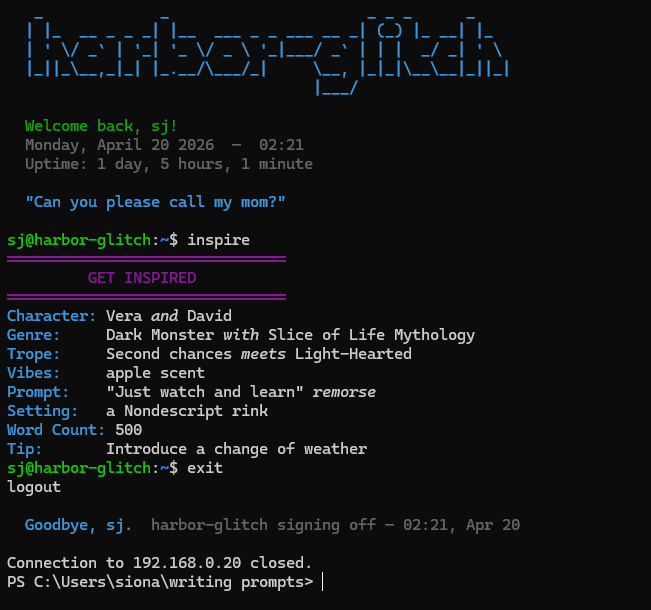
Per usual, the thing that really motivates me to make my updates is my actual usage of the thing. I had recently come up with a pretty good outline for my superhero alternative history novel and I wanted the script to pull from that list of scenes to more directly get me motivated to try and write them. But I didn’t want a scene to happen every time I ran the script. At the same time, that also brought up an issue of the character output potentially not matching the scene that it pulled from.
So that required some function creating and setting up my scene list file in a specific way to tag each scene with characters that could potentially be in the scene, using sed to separate the tags and the scene description, randomize the characters for output into the character section and the scene description into the scene section. Which I did end up getting working.
And I’m glad I got this done before I got too deep into making my genre specific general configuration files and lists, because now I know I can get scene lists set up as well and how they need to be.
I, of course, (and say it with me now) haven’t had time to do much with it. But I’m glad it’s there. I really do mean to put together a Dev Log about this project one of these days…
Maybe after this quarter.
Or after the move.
Linux, Linux Everywhere
I downloaded this terminal on my laptop that can look like a CRT terminal and I love it.
I, of course, had to also download the Matrix for it.
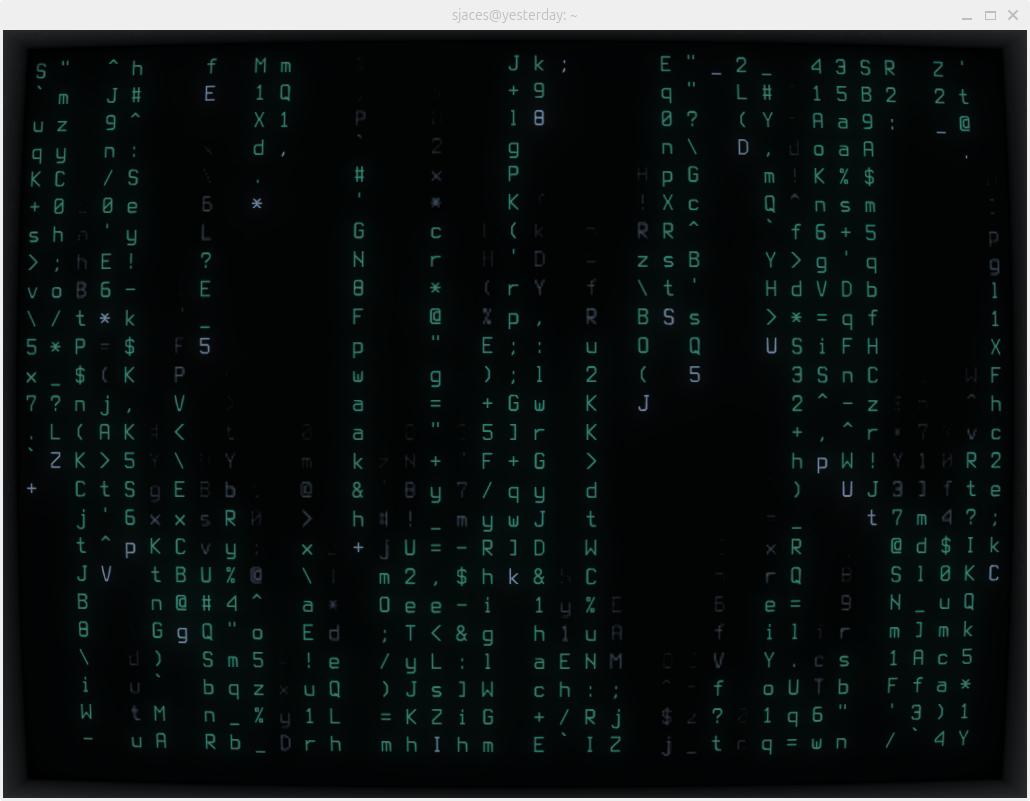
That’s all.
Okay, Okay, the Actual Title Now
Last blog post I complained an awful lot about how frustrating I was find Network+. The tl;dr version goes like this:
AAAAAAAAAAHHHHHHHHHHHHH
The slightly longer tl;dr version is:
So much stuff Too many acronyms Why is there a question to a thing we haven’t learned yet? No but seriously, the next module is covering the thing in that question that I kept getting wrong over and over again that meant I couldn’t pass the quiz until I just wrote down the correct answer to reference. Why is memorizing so much please brain hurt no more acronyms The labs are so inconsistent in how much information they give and omg this module just now went over how to use the software I needed to use five labs ago Who is running this?
Ahem
So I think “AAAAHHH” covers it.
Literally the very next module after I posed that was on security.
I passed.
Every.
Single.
Quiz.
First try.
That’s never happened before in Network+.
I really thought it was a fluke but it kept happening. It probably helps that all the terms feel like common sense terms to me. Part of it is just business speak and I’ve been a working professional for the better part of two decades, have a Bachelor’s Degree, and have taken some business classes. There’s just a lot there that I already know or could easily translate even without reading the module.
There’s also just a lot of questions that are like “what benefit does x give you?” And three of the possible choices are something along the lines of “it makes everything slower” “it makes data easier to steal” “it helps the It department get a raise” and they are clearly the wrong answer, all three of them. I don’t think it’s just that I’ve gotten smarter and better at the material; I really think they don’t know how to write trick questions for some of this material that allows for multiple choice answers that could seem like the right answer if you don’t know the material well enough.
It is much easier to do that with command line material. Or questions where they list all the answers as acronyms only.
No, I’m still not over the acronyms.
Final Funnies
If you’ve made it through my post, congratulations on reaching my random funnies corner where I share small things in CompTIA that have made me say “lol” out loud. Yes, I am that type of cringe Millennial and I don’t laugh out loud, I just say “lol” (as in I sound it out like it’s a word, not an acronym).
1 - Check out this meme I created:
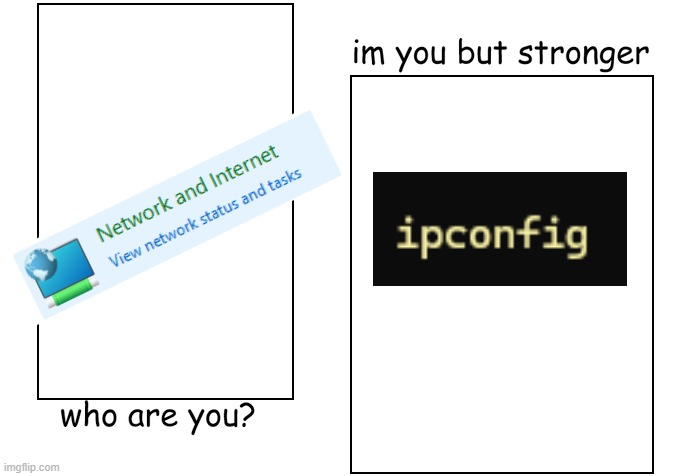
Brought to you by so many Network+ labs starting with “Check the IP assignments using the Windows Network & Internet settings” and me going “nah” and opening the terminal instead.
2 - Is someone at CompTIA a Stargate-SG1 fan?
Linux+ used Samantha Carter as an example user for adding, modifying, and deleting. Network+ used Daniel Jackson as a user in a firewall lab or something. I know these are very common names but come on!
3 - Key Features of Windows 95
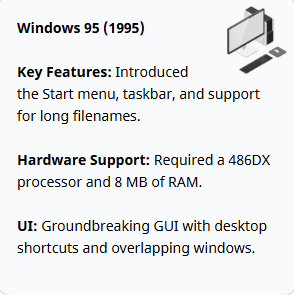
Ah, the start of my long hours spent on the computer. The days in which long file names and overlapping windows was the height of innovation.
Now I growl in frustration as my windows try to “helpfully” snap into place in a corner when no, I want them to overlap thank you kindly!
4 - More “do I feel old yet? (Spoiler: yes)”
A sentence started with the word “historically” and it was referencing installing things FROM A CD-ROM OR DVD.
Even the DVDs are history now?
I’m going to go back to listening to my Classic Dad Rock playlist of Linkin Park and 3 Doors Down and pretend that I’m still 22.
5 - The cat wanted to code too
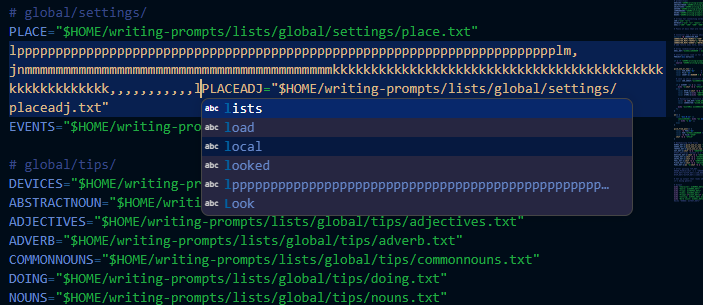
6 - Fake Tickets Awaken Passive Aggressiveness
A Network+ lab required going through fake tickets, getting that info, and going to those desks to diagnose and troubleshoot computer problems. I open this one first:
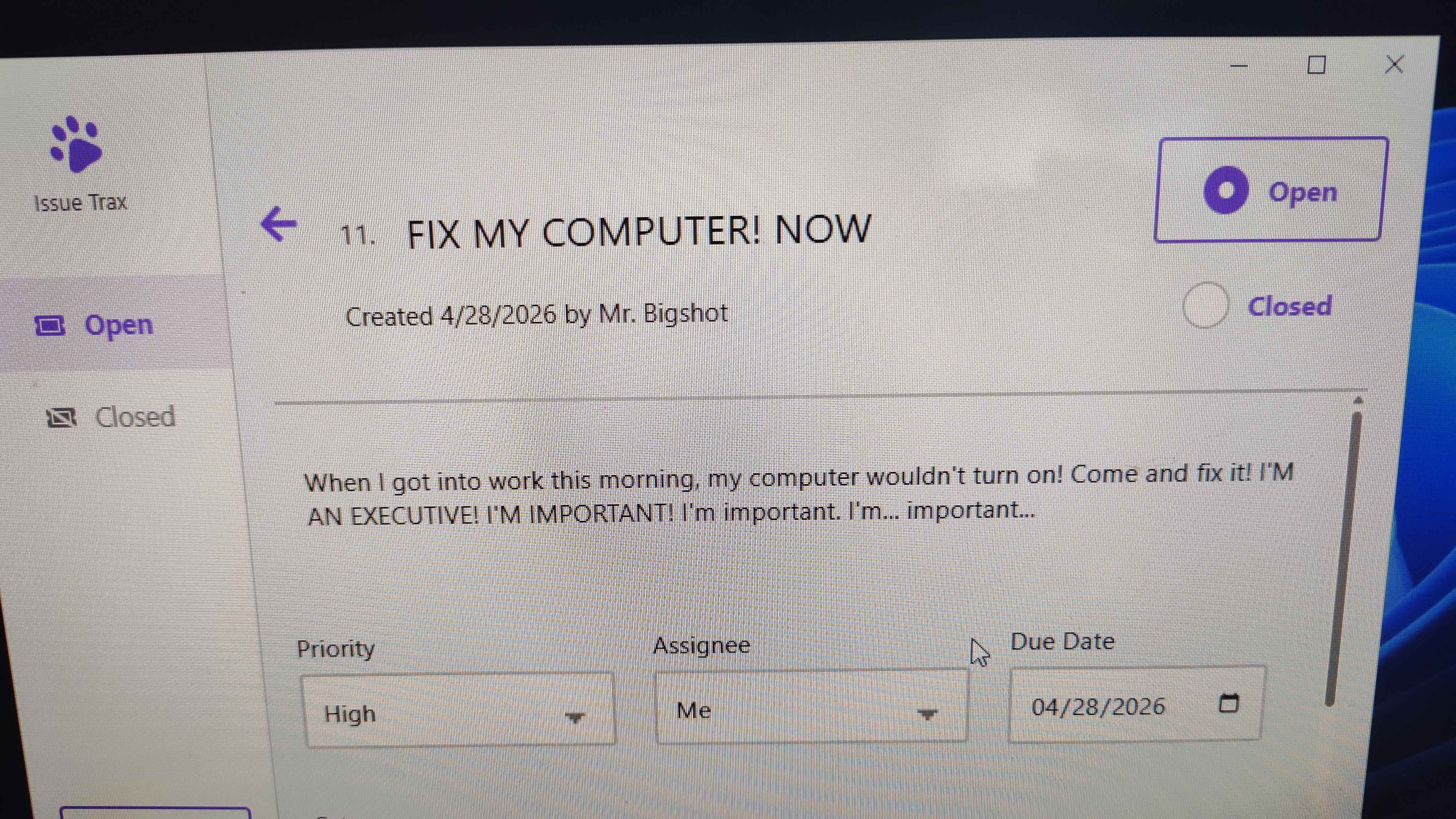
And my immediate gut reaction was to close it and do it last. I wouldn’t even be pissing off a real person if I did so!
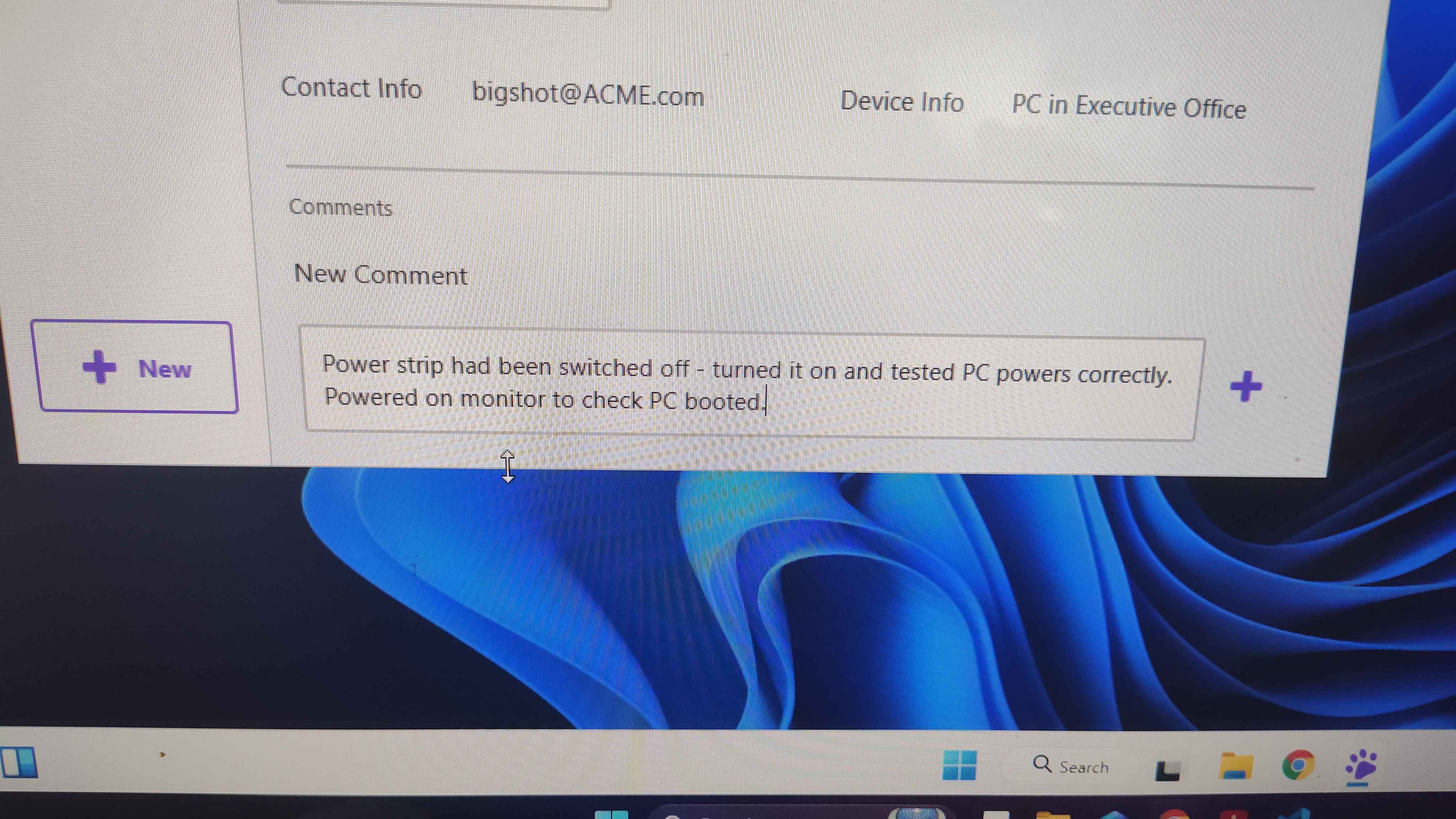
I was professional, though, and did the tickets in the order I had “received” them. Hope my comment reflected that well enough:
7 - Linux is allowed to keep making acronyms actually.
After going on my rants about the Network+ acronyms, the next day I switched over to Linux+ and ran into this:
1
DNF (Dandified YUM)
I lol’d. For that alone, they stay off the shit list.
8 - Gather Round the Campfire
Ran into this question in Network+:
1
What historical method might IT departments have used for tracking IP usage?
One of the multiple choice options given?
Oral tradition.
Ah yes, in the fine practice of HOme, Shakespeare, and your grandfather at Thanksgiving, IT departments definitely trusted knowledge accumulation and transference to oral tradition.
I almost didn’t catch it because I clocked the correct answer super fast. I had to move back in the quiz and do a double take when that answer registered in my brain.
9 - What a sweet baby.
A lab description in A+ started with this sentence:
1
You've recently upgraded your computer and added an extra 512mb of RAM
Omg, that’s so cute. Was this written in 2000? A whole 500mb! Maybe next they’ll let you have the whole GB!
10 - Sometimes I think I know too much about Linux…
A+ did some Linux lessons. During one lab I ran the command being asked and it then prompted me to give the root password. I panicked, looking around everywhere in the lab but I was not given the root password!
Then I actually paid attention and realized I had written sudo before the command even though I was already logged in as root. Despite this stand out moment, I have gone on to do this several more times in A+ and Network+ labs.
A+ also asked a question about mounting files at boot and one of the false answers suggested using symbolic links. Which I thought was hilarious because the module didn’t even explain what symbolic links were! I knew it was wrong because I know what symlinks are! And also that they would be completely the wrong job for that task, like hilariously wrong. But I suppose I can see where somebody just starting out might see that and think it’s the answer.
The End
That’s all I’ve got. Thanks for reading.